Product Landing Page
An interactive, tactile landing page that adapts to your brand
Role: Design & Build
Tech: React, TypeScript, Next
Date: 2026
Background
We could see from the data that the homepage conversion was low and session recordings showed why that mattered: most visitors weren't scrolling past the first section, and bounce rate was high. We didn't have a confirmed diagnosis for the drop-off, but we had a hypothesis: the page described Guidelines instead of demonstrating it, leaving a gap between the claim and the proof.
Finding the direction fast
I sketched a few directions in Figma, with my focus being on locking in a flow and aesthetic. I knew that I wanted to inject elements of motion throughout the page but I didn't want to waste time perfecting that in Figma. I did just enough to communicate the direction and from there I jumped straight into building it.
An interactive Figma prototype
Bring your own brand
The clearest proof of that hypothesis is a brand switcher fixed to the corner of the screen, always available no matter where you scroll. Flip between three dummy brands and watch the header, the search, and the templates further down all re-render around whichever one is active: colour, type, logo treatment, the lot.
The feature I'm proudest of pushes this further: an "Add your brand" upload that lets a visitor drop in their own logo, no account needed, and watch the homepage adapt to it in real time. The logo never leaves the browser, it's read and stored client-side, with a colour extraction pass run on the spot to build a live palette from it. No server round-trip stands between uploading a logo and seeing it reflected back at you.
It's the same instinct as the brand switcher, pushed to its natural conclusion: turn "I can conceptually understand what this does" into "I can actually see and feel what this does."
Switching brands: every element on the page re-renders around the active one
Uploading a real logo: the page adapts with no account and no server round-trip
Teaching a cursor to move naturally
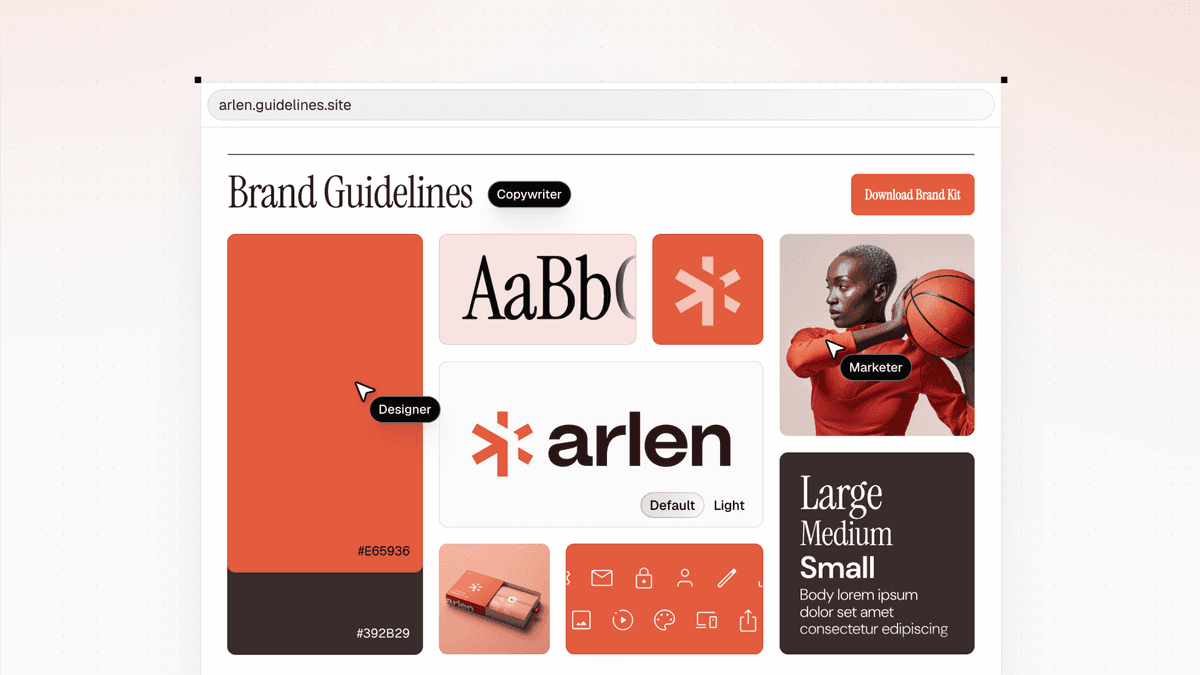
The header is the first thing anyone sees, so it had to prove the pitch immediately. Brand assets land into a bento grid as though several people are dropping them in at once: logo, colour, type, one card at a time, filling the header with something visibly alive rather than a static hero shot.
Building it meant animating simulated cursors moving naturally across the screen, and "naturally" turned out to be the hard part. Rather than reach for an animation library, I built my own small animation state: each cursor's x and y position interpolated independently, on different easing curves. A straight line at constant speed reads as robotic. A literal curved path reads as fake. What actually looks like a hand moving a mouse is two axes quietly disagreeing about when to slow down, no curve is ever drawn, it just emerges from the timing. A slight tilt as the pointer moves, easing back to level once it settles, was the last bit of physicality it needed, like a hand leaning into the turn.
Movement
Tilt
Speed
Click anywhere to set a new destination and play around with the controls to see the difference
Letting the visuals lead
The clearest example of that same idea elsewhere on the page is the search. Instead of describing how many kinds of brands Guidelines can hold, we dropped a live, filterable search straight into the homepage. The first thing a visitor does isn't read a claim, it's use the product.
Live search over real brands: the product doing its own talking

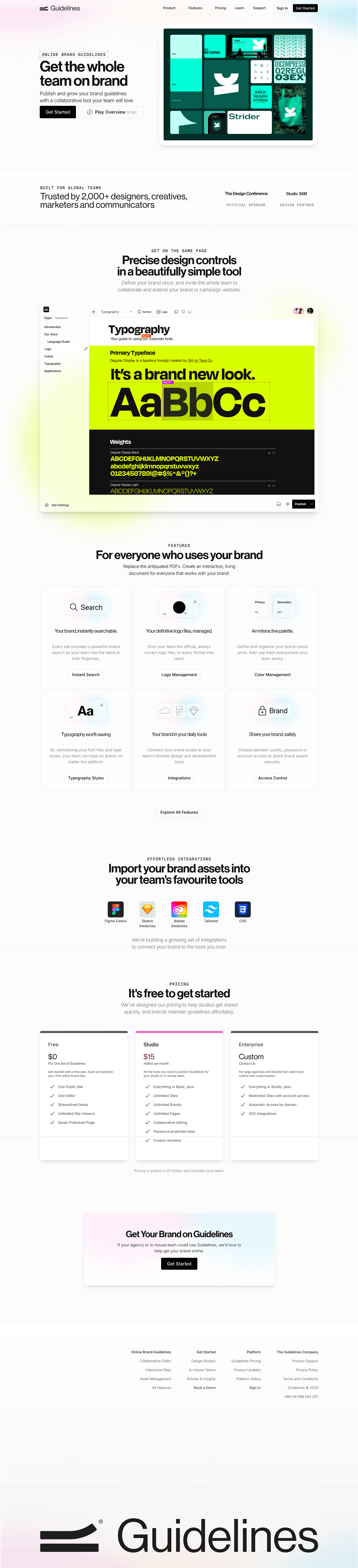
A static, visual comparison of both versions
That brand-aware logic isn't limited to the switcher and upload above: it runs through the header, the search, and the templates further down the page too, each one re-composing itself around whichever brand is active. It's the same system that carries into the onboarding and template work that follows right after sign-up.
3.7x
increase in homepage conversion rate
Key takeaway:
We're still telling a story, but the visuals and interactions carry it. The copy's job is to caption what's already on screen, not stand in for it.